


PhotoScape for Windows
Download PhotoScape for Windows to edit photos, apply filters, create collages, make animated GIFs, and enhance images with easy editing tools.
- License
- Free
- Developer
- MOOII Tech
- Requirements
- Windows XP/ 7
- Category
- Design
- Latest Version
- 3.7
- Last Update
- September 11, 2014
3.7
Latest Version
Description
PhotoScape is a versatile photo editing application for Windows that provides practical tools for improving, organizing, and transforming digital images. Designed with simplicity in mind, the software allows users to perform common editing tasks without requiring extensive technical knowledge. Its collection of editing utilities makes it suitable for beginners, casual photographers, and anyone looking to enhance personal photographs.
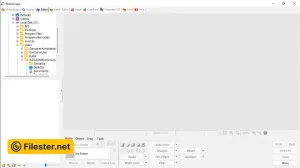
The application includes essential image editing tools for cropping, resizing, adjusting brightness, and correcting colors. Users can apply filters, add decorative frames, insert text, and create visual effects to personalize their photographs. PhotoScape also supports batch editing, allowing multiple images to receive similar adjustments simultaneously. This functionality is particularly helpful when processing large collections of pictures.
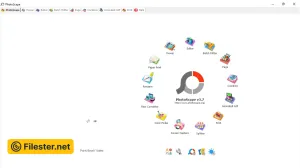
Beyond traditional photo editing, PhotoScape offers creative features for combining images and producing customized visual content. Users can create photo collages, assemble animated GIFs, and arrange multiple pictures into organized layouts. Additional utilities include image splitting, screen capture, and file conversion capabilities. These tools provide flexibility for completing various photography-related tasks within a single desktop application.
PhotoScape stands out as an accessible alternative to complicated professional image editing programs. Its straightforward interface makes essential editing functions easy to locate and understand, even for inexperienced users. The software is particularly useful for preparing photographs for social media, personal collections, and everyday projects. Users seeking advanced professional editing capabilities may prefer more specialized applications.
Features & Highlights
- Crop, resize, and enhance digital photographs easily.
- Apply creative filters and decorative photo frames.
- Edit multiple images simultaneously using batch processing.
- Create animated GIFs from selected image collections.
- Combine photographs into attractive custom collage layouts.
Screenshots
F.A.Q
Older Versions
Disclaimer
Filester is a software review and download website. We are against piracy and do not provide any serials, keygens, patches, or cracks for PhotoScape or any software listed here.
We are DMCA-compliant, and you can request the removal of your software from our website through our contact page.