

HandBrake for Windows
HandBrake is a free video transcoder that converts and compresses videos with H.264/H.265 support, device presets, batch processing, and advanced controls.
- License
- Open Source
- Developer
- HandBrake Team
- Requirements
- Windows 7/ 8/ 10/ 11
- Category
- Multimedia
- Latest Version
- 1.5.1
- Last Update
- January 11, 2022
1.5.1
Latest Version
Description
HandBrake is a free and open-source video transcoder designed to convert multimedia files into a wide range of modern, widely supported formats. It is commonly used to compress large video files, change formats, and optimize videos for devices such as smartphones, tablets, and streaming platforms. The software is popular among content creators, video editors, and everyday users who need efficient and high-quality video conversion.
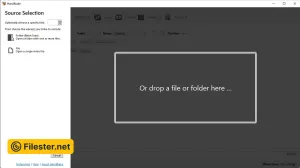
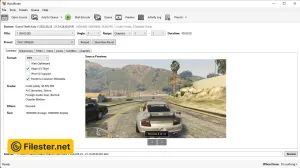
The application supports a simple yet powerful interface where users can select input files, choose output formats, and adjust encoding settings. It includes built-in device presets that make it easy to export videos optimized for platforms like YouTube, Android devices, and Apple products. Beginners can rely on default settings, while advanced users can fine-tune bitrate, resolution, frame rate, and encoding parameters for precise control over output quality.
HandBrake includes advanced encoding features such as batch processing, chapter selection, subtitle support, and filter adjustments. It supports modern video codecs like H.264 and H.265, which provide excellent compression without significant quality loss. Users can also crop, resize, or deinterlace videos during conversion, making it a versatile tool for both simple and professional video processing tasks.
The software is widely trusted because of its strong performance, frequent updates, and compatibility with Windows, macOS, and Linux. It is especially valued for producing high-quality compressed videos while maintaining small file sizes. HandBrake is widely used in workflows involving media archiving, streaming preparation, and personal video conversion due to its reliability and open-source flexibility.
Features & Highlights
- Converts videos into multiple formats
- Supports modern H.264 and H.265 codecs
- Built-in device optimized presets
- Batch processing for multiple files
- Advanced subtitle and filter support
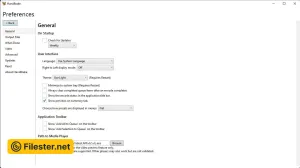
Screenshots
F.A.Q
Older Versions
Disclaimer
Filester is a software review and download website. We are against piracy and do not provide any serials, keygens, patches, or cracks for HandBrake or any software listed here.
We are DMCA-compliant, and you can request the removal of your software from our website through our contact page.