


Internet Download Manager for Windows
Internet Download Manager boosts download speeds, supports browser integration, resume capability, scheduling, and handles multiple file types efficiently on Windows.
- License
- Trial
- Developer
- Tonec Inc.
- Requirements
- Windows 7/ 8/ 10/ 11
- Category
- Utilities
- Latest Version
- 6.41
- Last Update
- May 31, 2022
6.41
Latest Version
Description
Internet Download Manager (IDM) is a popular Windows utility designed to significantly accelerate and organize file downloads from the internet. It works by splitting files into multiple segments and downloading them simultaneously, which increases download speed compared to standard browser downloading. IDM is widely used for handling large files such as videos, software installers, and archives, offering a stable and efficient downloading experience.
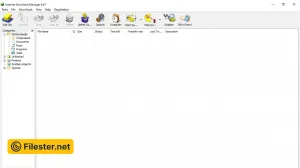
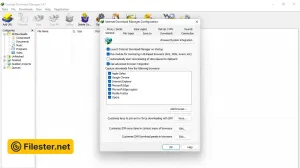
The software integrates seamlessly with major web browsers like Chrome, Firefox, Edge, and Opera. Once installed, it automatically captures downloadable links from web pages and allows users to start downloads with a single click. Its lightweight interface provides easy access to active, completed, and scheduled downloads. Users can also categorize files for better organization, making download management more structured and convenient.
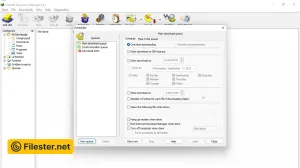
IDM includes advanced features such as pause and resume support, which ensures downloads can continue even after interruptions like internet disconnections or system restarts. It also offers dynamic segmentation for optimized speed and intelligent file recovery to minimize corrupted downloads. Additionally, users can schedule downloads at specific times, helping manage bandwidth usage during peak or off-peak hours effectively.
The software is highly valued for its reliability, consistent performance, and ability to improve download speeds across different network conditions. It supports HTTPS, FTP, and various streaming protocols, making it versatile for multiple use cases. Regular updates improve browser compatibility and download engine performance, keeping IDM one of the most trusted download managers for Windows users worldwide.
Features & Highlights
- Accelerates downloads using segmented transfer
- Seamless browser integration with auto-capture
- Resume and pause download functionality
- Smart scheduling for timed downloads
- Supports HTTPS FTP and streaming links
Screenshots
F.A.Q
Older Versions
Disclaimer
Filester is a software review and download website. We are against piracy and do not provide any serials, keygens, patches, or cracks for Internet Download Manager or any software listed here.
We are DMCA-compliant, and you can request the removal of your software from our website through our contact page.