


MEmu for Windows
MEmu is a powerful Android emulator for Windows featuring smooth gaming performance, multi-instance support, keyboard mapping, and customizable settings.
- License
- Free
- Developer
- Microvirt Software Technology CO., LTD.
- Requirements
- Windows 7/8/10/11
- Category
- Enhancement
- Latest Version
- 8.0.1
- Last Update
- May 14, 2022
8.0.1
Latest Version
Description
MEmu is a Windows-based Android emulator designed to help users run mobile applications and games directly on desktop computers. It provides a smooth Android experience with support for keyboard mapping, multi-instance management, and high-performance gaming optimization. The emulator is widely used by gamers and developers who want better control, larger displays, and improved hardware performance compared to standard mobile devices.
The software supports a variety of Android versions, allowing compatibility with many modern applications and mobile games. MEmu includes customizable CPU, RAM, and graphics settings that help users optimize performance according to their computer specifications. Its user-friendly interface makes installation and configuration simple for beginners, while advanced users can access deeper customization options for enhanced gameplay, app testing, and multitasking capabilities.
MEmu emulator includes useful gaming-focused tools such as smart key mapping, macro recording, and controller support. These features help users automate repetitive actions and enjoy smoother controls in competitive mobile games. The software also supports file sharing between Windows and Android environments, making it easier to transfer media, APK files, and documents. Multiple emulator instances can run simultaneously without major performance issues on capable systems.
The emulator remains popular because of its balance between speed, compatibility, and flexibility. MEmu works well with Intel and AMD processors while supporting OpenGL and DirectX rendering technologies for improved graphics performance. Frequent updates help maintain compatibility with newer Android apps and games. Its lightweight design and gaming enhancements make it a preferred Android emulator for users seeking stable mobile gaming and productivity on Windows PCs.
Features & Highlights
- Smooth Android gaming on Windows PCs
- Smart keyboard mapping and macro support
- Multi-instance application running capability
- Custom CPU and RAM configuration
- Fast file sharing between platforms
Screenshots
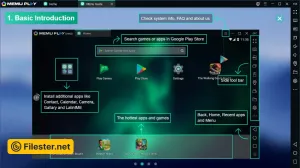
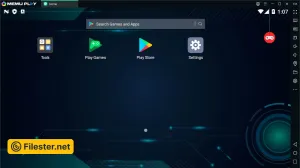
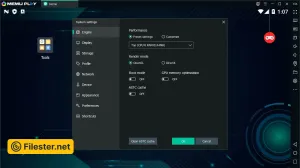
F.A.Q
Older Versions
Disclaimer
Filester is a software review and download website. We are against piracy and do not provide any serials, keygens, patches, or cracks for MEmu or any software listed here.
We are DMCA-compliant, and you can request the removal of your software from our website through our contact page.